
For Members
Record your languages, choose who can use every recording, and get paid when recordings are accepted.
What Joining Means
Nzinga is a phone app for African languages. Members record voice notes in the languages they speak.
You choose, for every recording, who can use it. You are paid when a recording you share is accepted. When partners license recordings that include yours, you get a share.
Members are adults. You sign in with the phone number you already have.
Today the app records voice notes. Calls, and notes and summaries of recordings, come later.
Invites
Nzinga is invite-only. You join with an invite code from someone you know.
Members start with three invites and earn one more for every accepted hour, with at most ten unused at once. Codes leave out I, L, O and U, so they are easy to read aloud.
An invite bonus goes to the direct inviter only, never further up the chain. Nobody earns from the people others bring in.
The person who invites you stands behind you. If an invitee is confirmed as fraudulent, the inviter loses three invites.
Recording
Record freely, or pick an idea to record. Guided sessions cover everyday life.
Prompts describe your own life. They never ask for ritual, sacred or restricted knowledge. A recording of an elder needs the elder's own consent.
Audio stays on your phone today. Upload to encrypted storage, with keys per member, is planned.
The Four Choices
For every recording you choose who can use it. The choices are always these four, in this order. Each wider choice includes every narrower one.
"Only me" is never used for training. "Nzinga's models" teaches Nzinga your language. "Nzinga and approved partners" lets your recording be licensed to researchers. "Everyone" releases it as open data.
"Nzinga's models" is the suggested starting choice. When a recording has more than one voice, each person chooses for their own voice. A whole conversation is used only if everyone allows it.
Open data cannot be recalled once it is released. "Everyone" recordings are planned to get the strictest redaction.
Getting Paid
Money is earned at acceptance, never at upload. A native speaker checks each recording first.
The rate is set per language at launch. The app always shows the rate from the server.
When a partner licenses recordings that include yours, part of what they pay comes back to you, in proportion to your accepted minutes. It starts when the first licence is signed.
Payouts go to mobile money or a bank account. Nzinga confirms every payout by SMS before any money moves.
Payouts through a payment partner are not built yet. The payout flow is complete on the phone, and requests are kept on this phone.
Withdrawing
Withdraw any recording from its own page, or every recording at once under Consent and Privacy. It is never more than two taps away.
Your voice is removed from all future training and licensing. Models already trained cannot forget it. You keep what you were paid.
The same screen lets you pause all sharing and download your data. Deleting an account on the server is still being built.
Privacy
Contacts are read only if you allow it. Numbers are scrambled on your phone, and Nzinga keeps none of them.
There are no public profiles. Other members never see your number.
Your profile needs your languages. Region, age band and gender are optional, each with its reason shown. Nzinga never asks for ethnicity, health or religion.
See consent, privacy and sovereignty on the Trust page.
Try the Demo
The demo runs in Expo Go with realistic local data. Install Expo Go, then scan the code with your phone, or open the link on the phone.
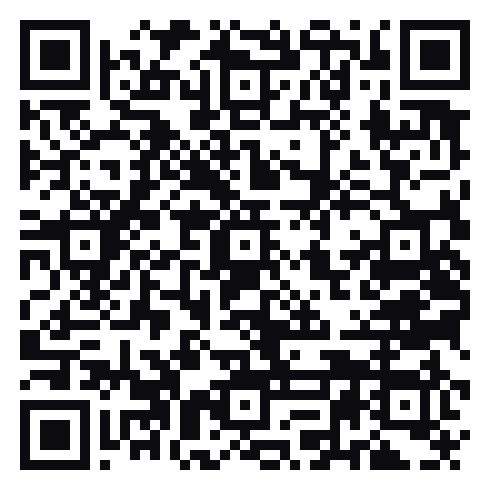
The demo creates no real account and pays nothing.